

After you empty the Recycle Bin, the system simply marks the space previously occupied by the files as available for new data, but the actual data still exist. This means you can recover permanently deleted files from Recycle Bin with the right tools.

MyRecover can scan the disk for leftover data and attempt to restore deleted files from Recycle Bin after empty, as long as they haven't been overwritten. This makes it possible to recover files from emptied Recycle Bin, although success rates decrease the longer the space remains available and is used for new data.
This is a 3-step process to recover deleted files from the emptied Recycle Bin using MyRecover.
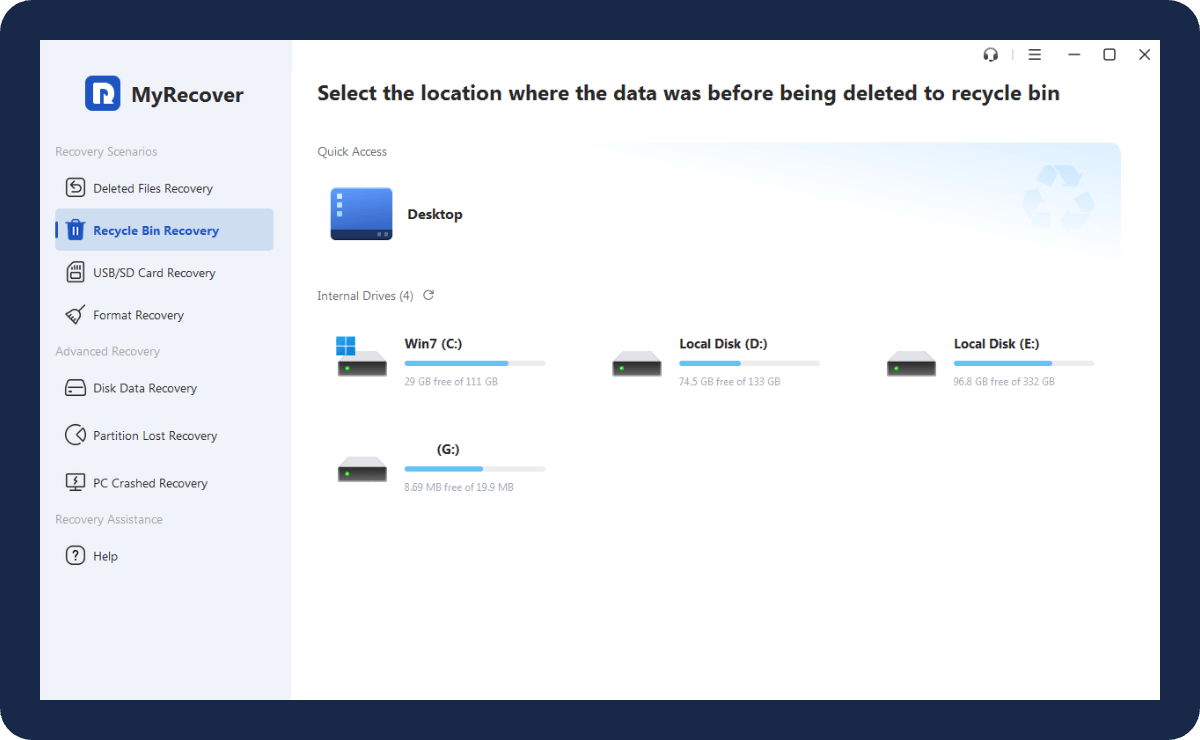
If you remember where the deleted files are located, then you can scan that drive; if not, scan the whole disk.
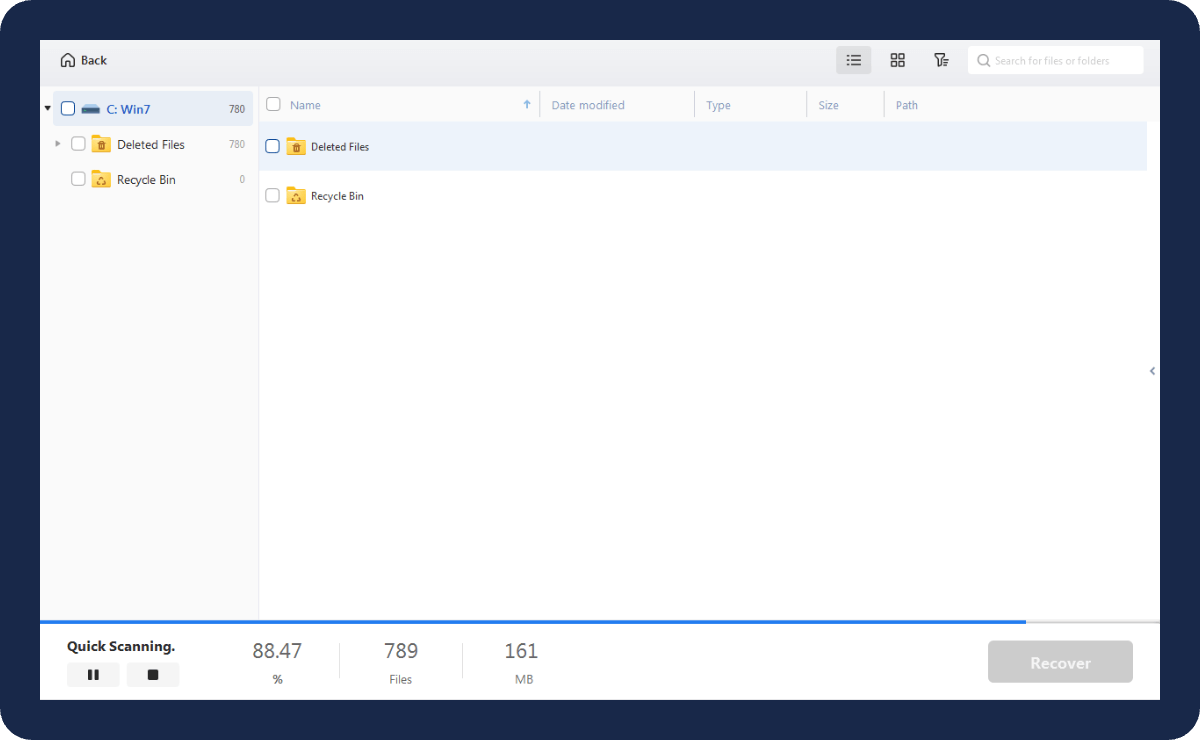
Then, click Recycle Bin on the left sidebar to find the files you need to recover from Recycle Bin. Or, you can type the file name to search for the target file.
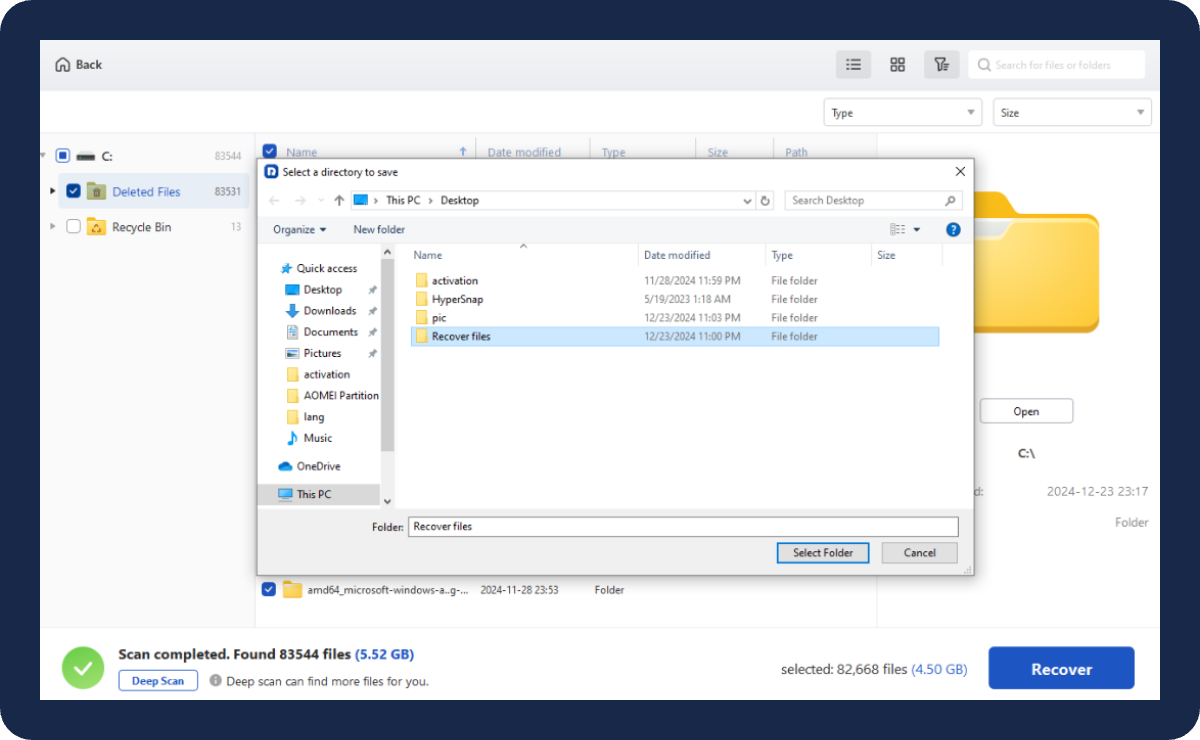
Finally, preview the target file in the right sidebar. After ensuring the integrity of the files, click “Recover”.
MyRecover is a free recycle bin recovery software that has been tested by 300,000+ users. It efficiently recover any file formats, including documents, images, videos, audio, archives, etc.
 IMAGE
IMAGE
JPG, PNG, TIF, HEIC, GIF, PSD, SVG, ARW, X3F, NEF, etc.
 VIDEO
VIDEO
MP4, MOV, AVI, ASF, WMV, RM, FLV, QSV, RMVB, X3F, etc.
 AUDIO
AUDIO
MP3, CDA, WAV, AIFF, WMA, VQF, OGG, ARM, APE, FLAC, etc.
 DOCUMENT
TXT, DOC, XLSX, CSV, PDF, PPT, ODP, etc.
 ARCHIVE
7Z, ZIP/ZIPX, ZAP RAR, AR/ARC, BZ/BZA, CAR, etc.
 OTHERS
MSG, EML, XHTML, MHT, HTML/XHTML, ASPX, LAB, etc.

"With MyRecover, users can easily recover files after emptying the Recycle Bin. The deep scan feature increases the likelihood of successful file restoration, ensuring thorough searches."


"MyRecover simplifies the data recovery process with its clear instructions and intuitive design. It's a very trustworthy option for anyone looking to retrieve lost or mistakenly deleted files."

"MyRecover stands out for its reliable performance and ease of use. It’s an effective solution for recovering lost files, even for users with minimal technical expertise."

Users may accidentally choose to empty the Recycle Bin during operation, or misuse other file management functions resulting in the emptying of Recycle Bin files.

When the size of the Recycle Bin exceeds the allocated limit, the Recycle Bin prioritizes the deletion of the earliest stored files until the total size of files in the Recycle Bin drops below the limit.

Windows built-in disk cleanup tools or third-party optimization tools will regularly clean up system junk files, usually including files in the Recycle Bin.

Some operating systems set a retention period for Recycle Bin files, after a certain period of time, the files will be deleted automatically.