Recover Files from USB Drive Across All Scenarios

Don’t Miss the USB Data Recovery Tool for Wide Range of File Format

USB Flash Drives

SanDisk, Kingston, Samsung, PNY, Transcend

USB Hubs

Anker, Sabrent, AmazonBasics, TP-Link, UGREEN

USB External Hard Drives

Western Digital (WD), Seagate, Toshiba, LaCie, G-Technology

Supported USB Drive

Photos

JPG, PNG, TIF, HEIC, GIF, PSD, SVG, ARW, X3F, NEF, etc.

Videos

MP4, MOV, AVI, ASF, WMV, RM, FLV, QSV, RMVB, X3F, etc.

Audios

MP3, CDA, WAV, AIFF, WMA, VQF, OGG, ARM, APE, FLAC, etc.

Document

TXT, DOC, XLSX, CSV, PDF, PPT, ODP, etc.

Archive

7Z, ZIP/ZIPX, ZAP RAR, AR/ARC, BZ/BZA, CAR, etc.

Others

MSG, PST, OST, EML, EMLX, MBOX, EPUB, JIS, KEY, LOG, MPS, 3DA, 3DS, 3TF, 3WS, ABD, etc.

Supported File Format
Get it Now

Tech Specification

Operating System

Windows 11, 10, 8, 8.1, 7 SP1 & Windows Server 2022, 2019, 2016, and 2012, 2008, 2003, etc. Supported File System: NTFS, FAT32, exFAT, ReFS, etc.

Minimum Hardware
Requirements

CPU: 1 GHz x86 or compatible CPU

RAM: 1 GB RAM memory

DISK: 70 MB of available disk space for install

How to Recover Lost/Deleted Files from USB Drive

See how to use powerful USB data recovery software:MyRecover to retrieve
lost, deleted, or formatted files from USB drives and flash drives.

  • Step 1

    Locate the USB Drive
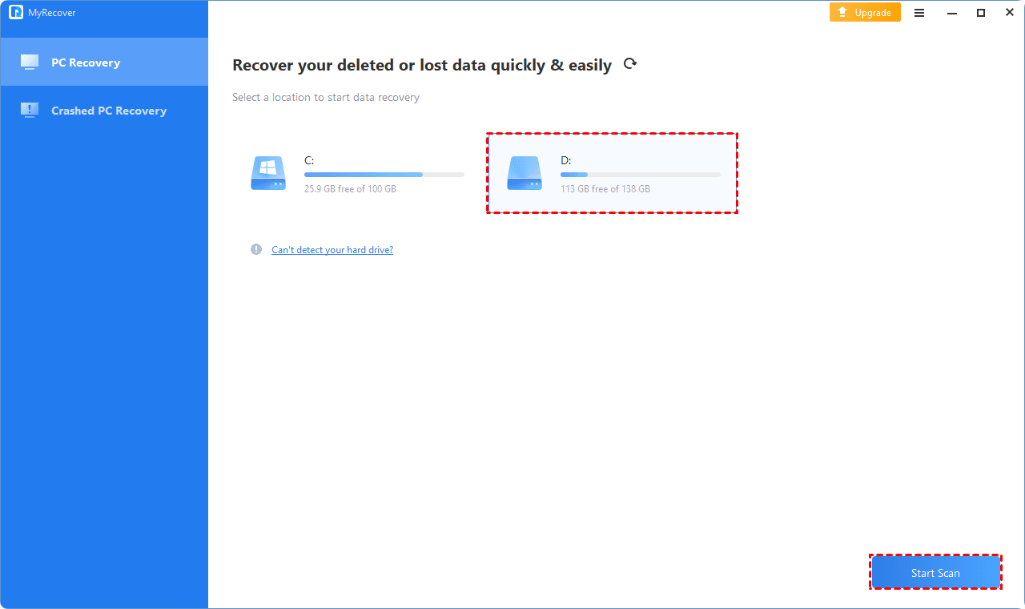
    Connect your USB drive to PC, launch MyRecover, select the USB drive and click Stat Scan.
  • Step 2

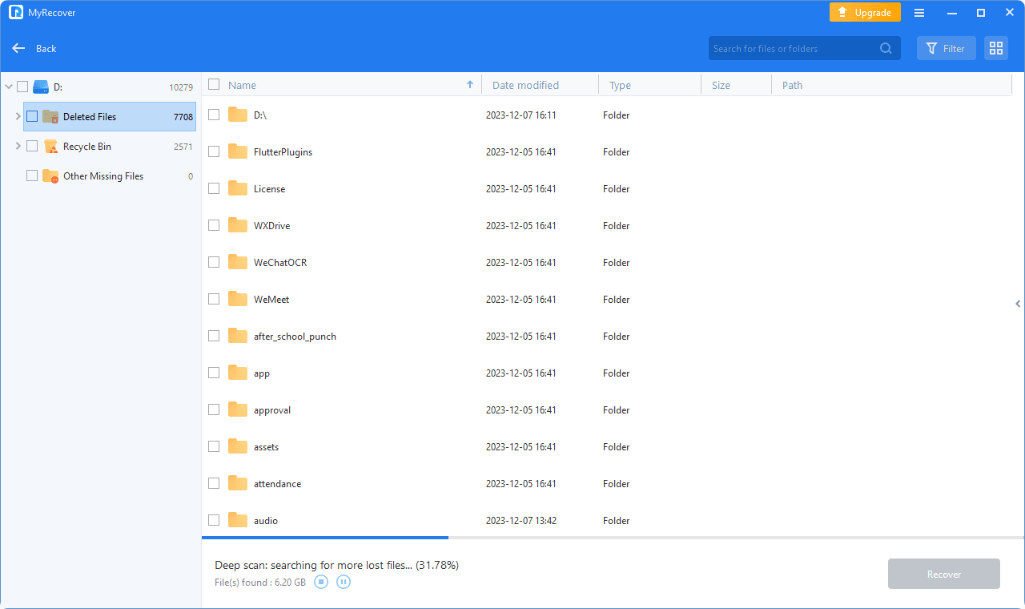
    Scan and Search the Lost Data
    Automatically scans your USB drive and find as many of your files as possible.
  • Step 3

    Save the Recovered Data
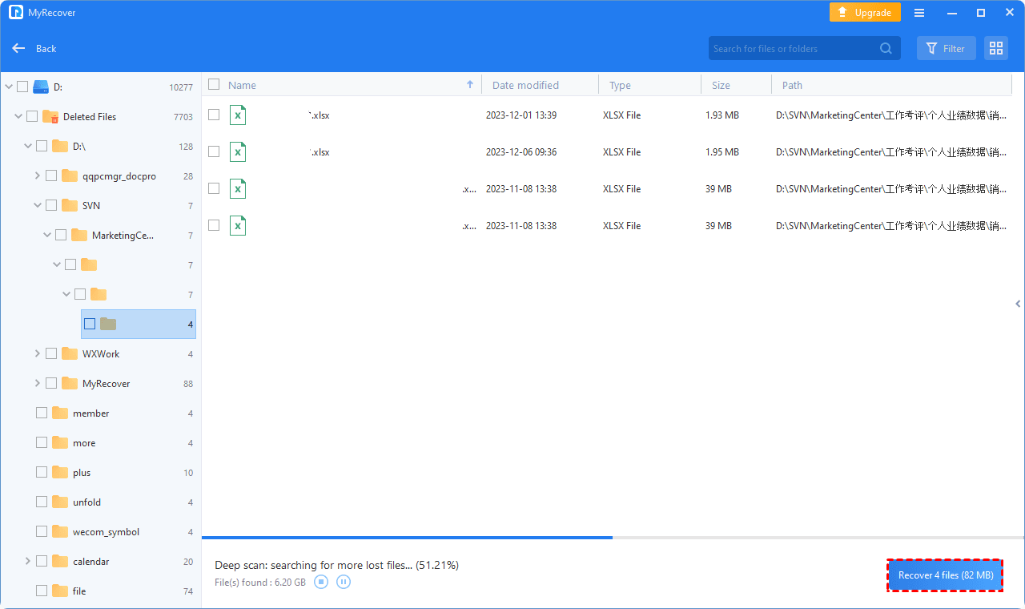
    Check the scanning result, choose the desired USB drive files to save and choose another drive as a destination.

Choose MyRecover Edition at Free Risk

30-Day Unconditional
Money Back Guarantee
100% secure
purchase via 256-bit SSL
Features Free Edition Professional Edition
Recoverable Data Up to 500MB Unlimited
Technical Support Business Hours 24/7
Scan & Recovery Speed
Business Use
Remote Assistance
Crashed PC Recovery
Scan the Lost/Deleted Data
Support Windows 11/10/8/7 SP1 & Server
Download
From $ 39 .95
Buy Now
We Accept:

Awards & Testimonials

By Benjamin Matthews

" I accidentally formatted my USB drive that holds critical docuemnts and personal files. Panice set in until I discovered MyRecover. It’s easy to use and recover data quickly. I highly recommend it to anyone who needs reliable and efficient data recovery software. "

By Isabella Martinez

" MyRecover perform excellently in recovering data from my SanDisk flash drive. The USB suddenly became inaccessible due to unknown errors. However, MyRecover came to the rescue. I can get my valuable denouements back. "

By Nicholas Rodriguez

"MyRecover's intuitive interface made the USB drive data recovery process fairly simple, even for someone like me, who isn't particularly tech-savvy."

By Olivia Mitchell

" MyRecover exceeded my expectations in every aspect. When my USB drive suddenly stopped working, I feared that years' worth of important documents and personal photos were lost forever. Thanks to MyRecover, I was able to recover every single file intact. "

By Ava Peterson

" MyRecover, definitely, is the ultimate solution to my problem. It saves my data from RAW USB flash drive swiftly and efficiently. I highly recommend it to anyone in need of reliable data recovery software. "

By Lucas Bennett

" Recently, I accidentally deleted an important folder from my USB drive, containing crucial work files. I was devastated, thinking I had lost everything. However, MyRecover performs perfectly in USB data recovery and sparing me from hours of frustration and potential loss. "