 MyRecover



How to Recover Deleted Vivint Video Clips
Learn how to recover deleted videos from Vivint using proven steps like timeline review, backup verification, and support escalation, so you can regain deleted footage, avoid future loss, and keep your smart home security reliable with confidence!

By Vera / Updated on December 25, 2025


Introduce
Losing important Vivint video clips can feel like watching your security blanket disappear—especially when those clips might contain crucial evidence, memorable moments, or safety-related footage. 😟
The good news? Recovering deleted Vivint video clips is often possible, as long as you act quickly and use the right methods.
In this guide, I’ll walk you through everything you need to know—from how Vivint stores clips to step-by-step recovery methods and smart prevention tips—so you’re never left in the dark again.
Understanding Vivint Video Clips and Storage

Before jumping into recovery, it helps to understand how Vivint handles video recordings behind the scenes.
How Vivint Cameras Record Video
Vivint cameras don’t record nonstop like old-school CCTV systems. Instead, they use event-based recording. That means:
- Clips are recorded when motion is detected.
- Smart alerts trigger recordings.
- Manual recordings can be saved by users.
Think of it like a security guard who only takes notes when something important happens—not every second of the day.
Where Vivint Stores Video Clips
Vivint primarily stores video clips in the cloud, not on the camera itself.
Local vs Cloud-Based Storage
- Cloud storage: Managed through your Vivint subscription.
- Local storage: Only applies if you manually download clips.
Once a clip is deleted from the cloud and not downloaded, recovery options become limited—timing matters.
Common Reasons Vivint Video Clips Get Deleted
Understanding why clips disappear helps prevent it from happening again.
1. Accidental Deletion by Users
Let’s be honest—we’ve all tapped "Delete" too fast at least once. A few quick taps in the Vivint app, and poof, the clip is gone.
2. Auto-Deletion Due to Storage Limits
Vivint plans come with retention limits (for example, 14 or 30 days). Once that limit is reached, older clips are automatically deleted to make room for new ones.
3. Expired Vivint Subscription Plans
If your subscription lapses, Vivint may stop storing or remove existing clips, which can lead to permanent data loss.
How to Recover Deleted Vivint Video Clips
Is it possible to recover deleted Vivint video clips? Here’s the honest answer: sometimes, yes—but not always. Let’s get it started.
Method 1: Recover Deleted Vivint Clips from the Vivint App
This is your first and best option.
Step-by-Step Recovery Using the Vivint App
1. Open the Vivint Smart Home App.
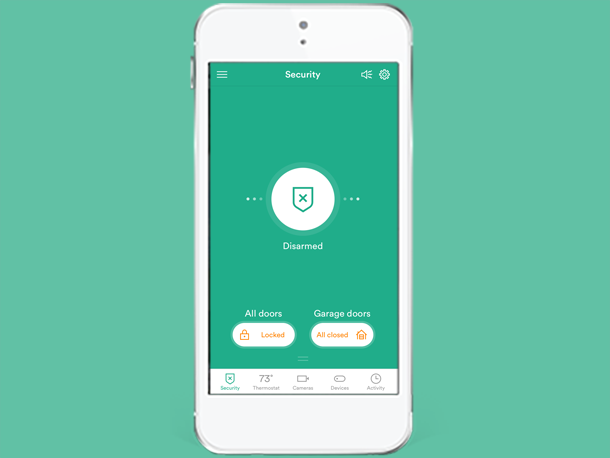
2. Navigate to Menu > Cameras > Video Clips.
3. Check for recently deleted or archived clips.
4. Restore or download the clip immediately.
Some clips may remain temporarily accessible before permanent deletion.
- Download important clips immediately.
- Avoid clearing storage unless necessary.
- Double-check before deleting.
Method 2: Contact Vivint Customer Support for Recovery
If the clip isn’t visible in the app, Vivint Support is your next lifeline.
What Information You’ll Need
Be prepared to provide:
- Your Vivint account details.
- Camera location.
- Approximate date and time of the clip.
- Reason for recovery request.
Vivint may retain deleted clips for a short internal window, but this varies. There’s no guarantee—so reach out ASAP.
Method 3: Recover Vivint Clips from Backup or Shared Devices
Sometimes, the clip is hiding in plain sight.
Checking Saved or Downloaded Clips
Look in:
- Your phone’s gallery.
- Computer downloads folder.
- External hard drives.
- Cloud backups (Google Drive, iCloud, OneDrive).
If your Vivint system is shared with family members, they may have saved the clip on their device.
Method 4: Using Data Recovery Software (If Downloaded Locally)
This method works only if the clip was previously downloaded. Here’s where MyRecover comes in. If a Vivint video was saved locally and later deleted from your computer, MyRecover can help recover those files.
MyRecover specializes in retrieving:
- Accidentally deleted videos.
- Lost files from formatted drives.
- Videos removed from PCs or external storage.
 100% Secure
Recovering Deleted Local Videos Using MyRecover (Quick Steps)
1. Install and open MyRecover
2. Select the drive where the videos were stored.
3. Click Scan.
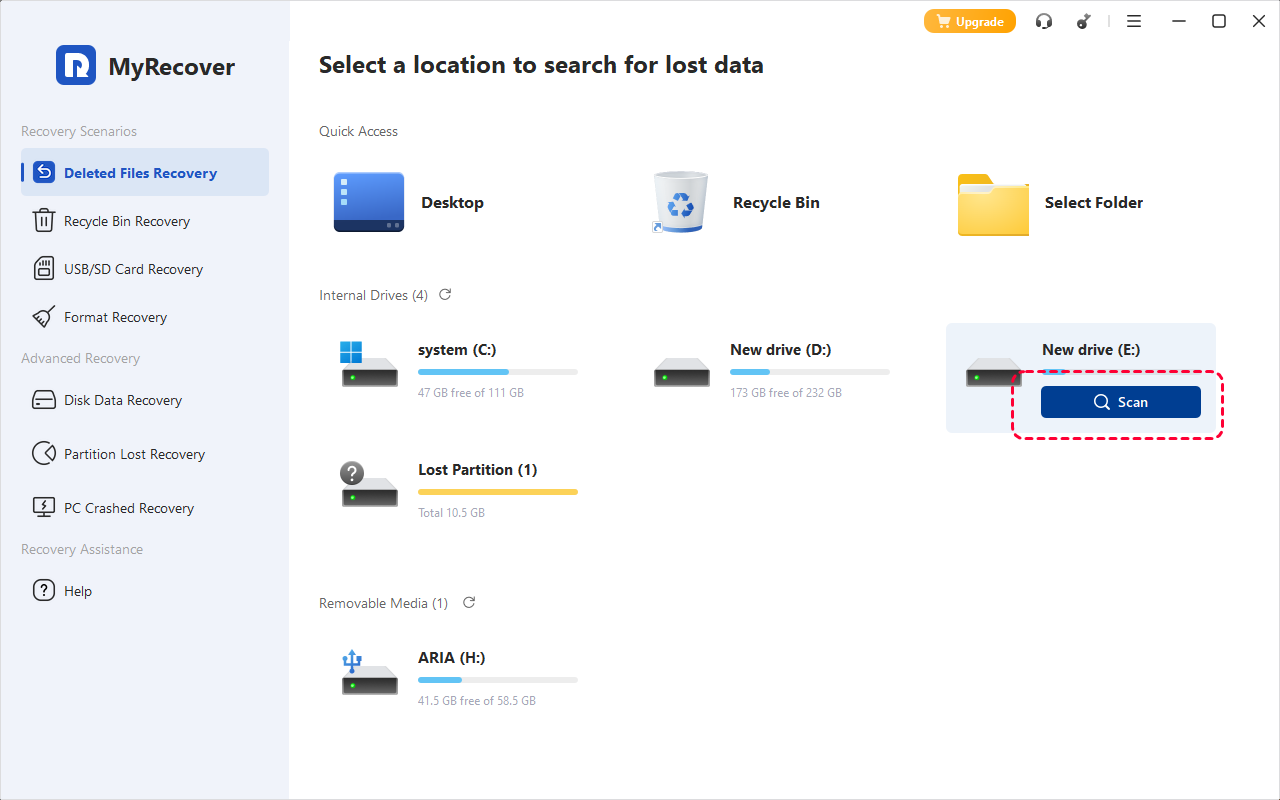
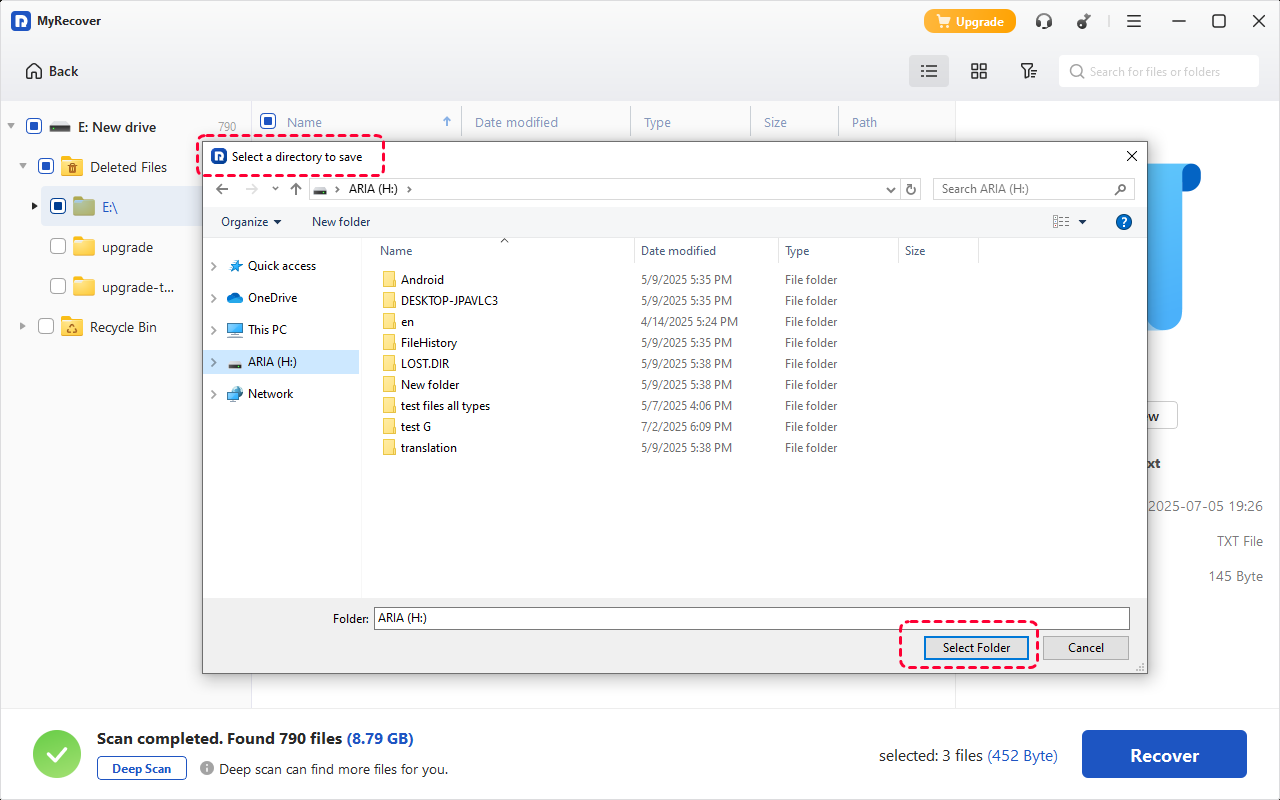
4. Preview and select the deleted videos.
5. Click Recover and save them to another location.
When MyRecover is Useful
MyRecover cannot recover videos directly from Vivint’s cloud, but it is extremely effective if:
- You downloaded Vivint clips before deletion.
- Videos were removed from a PC or external drive.
- You need a fast, user-friendly recovery tool.
Think of Vivint as the source—and MyRecover as your safety net.
How to Prevent Vivint Video Clips from Being Deleted Again
An ounce of prevention is worth a pound of recovery.
1. Enable Manual Downloads
If a clip matters—download it immediately. Treat it like saving a treasured photo.
2. Upgrade Your Vivint Storage Plan
More storage = longer retention = less stress. Simple math.
3. Set Up Regular Backups
Back up downloaded clips to:
- External drives
- Cloud storage services
- Secure personal servers
Conclusion
Recovering deleted Vivint video clips isn’t always guaranteed—but acting fast, knowing your options, and having backups can make all the difference. From checking the Vivint app to contacting support and securing future recordings, you now have a complete recovery playbook.
Think of your video clips like digital insurance policies—the smarter you manage them, the safer you’ll feel.

Stay Updated With Our
Latest Tips
Add us as a preferred source on Google to never miss helpful guides.
 Add as preferred source >>