 MyRecover



How to Recover Deleted Files from Phone SD Card
Wondering how to recover deleted files from SD card on phone without losing important data? This complete guide explains safe recovery methods, trusted tools, and expert tips to help you restore photos, videos, and documents quickly and effectively.

By Vera / Updated on March 3, 2026


Introduction
How can I recover deleted SD card videos on Android?
I accidentally deleted some important videos from my SD card on my Android phone and I’m not sure how to get them back. I’ve already checked the trash/recycle bin and they’re not there. Does anyone know any recovery methods or apps that work effectively for this?
- Question from https://eyefi.com/
We’ve all been there. You open your phone, scroll through your photos or files, and suddenly realize something important is gone. Maybe it was a precious family photo, a work document, or a video you can’t recreate. If that file was stored on your SD card, don’t panic just yet.
The good news? In many cases, you can recover deleted files from a phone SD card. The key is acting fast and using the right approach. In this guide, I’ll walk you through everything step by step — in plain English — so you can get your files back safely and efficiently.
How SD Card Data Loss Happens
Before we fix the problem, let’s understand why it happens.
Accidental Deletion
This is the most common culprit. One wrong tap, and boom — your file disappears. Smartphones make it easy to delete things quickly, sometimes too easy.
Formatting the SD Card
Maybe your phone prompted you to format the card due to an error. Or maybe you formatted it by mistake. Formatting wipes the file system structure, making files invisible — but not always permanently erased.
Virus or Malware Attacks
Malicious software can corrupt or hide files. If your SD card was connected to an infected device, your data could be compromised. >> Learn how to recover files deleted by virus.
Physical Damage
Dropping your phone, water exposure, or bending the SD card can damage storage sectors. Physical damage is trickier but not always hopeless.
Methods to Recover Deleted Files from Phone SD Card
Before data recovery, you need to take the following steps immediately.
- Stop Using the SD Card Immediately: Every new photo, video, or download could overwrite the deleted file. Stop using the phone storage linked to that SD card right away.
- Remove the SD Card Safely: Power off your phone and remove the SD card. Don’t just yank it out while the device is on. Treat it gently — like handling a fragile memory.
Now let’s get practical.
Method 1: Check the Recycle Bin or Recently Deleted Folder
Some Android phones have a "Recently Deleted" feature in Gallery or File Manager apps. Apps like Google Photos keep deleted images for up to 30–60 days.
1. Open the app. Go to "Trash" or "Bin".
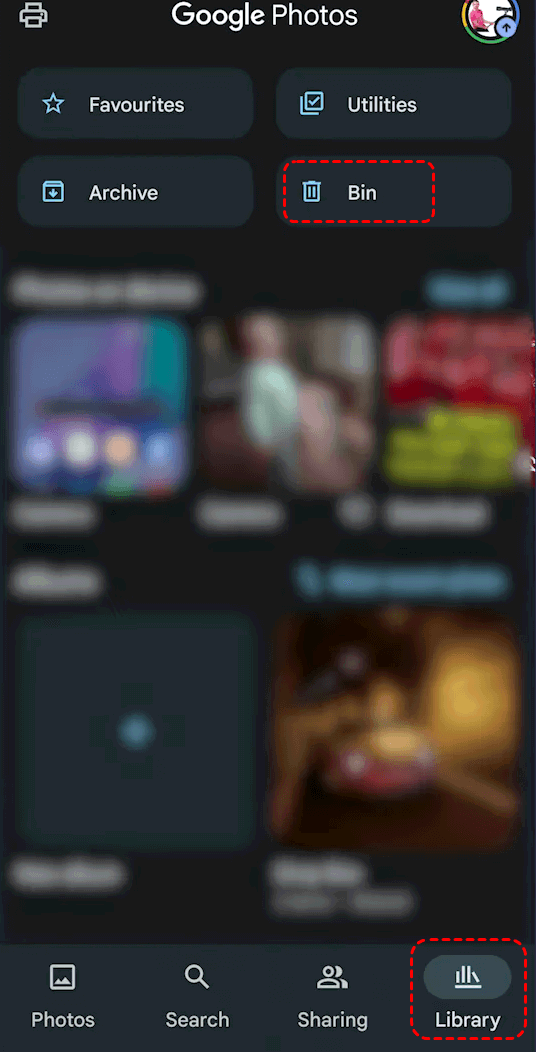
2. Select the file.
3. Tap "Restore".
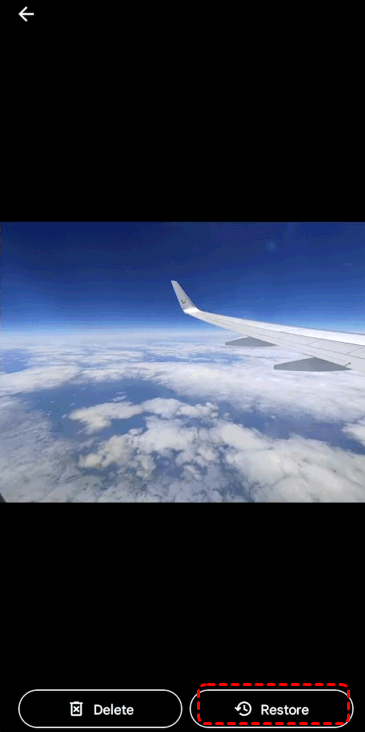
Simple, right? Always check here first.
Method 2: Restore from Cloud Backup
If you had backups enabled, recovery becomes incredibly easy.
Google Photos Backup
If your photos were synced with Google Photos, just:
- Open the app.
- Search for your image.
- Download it again.
Google Drive Backup
Files backed up via Google Drive can be restored by:
- Logging into your account.
- Navigating to "My Drive".
- Downloading the file.
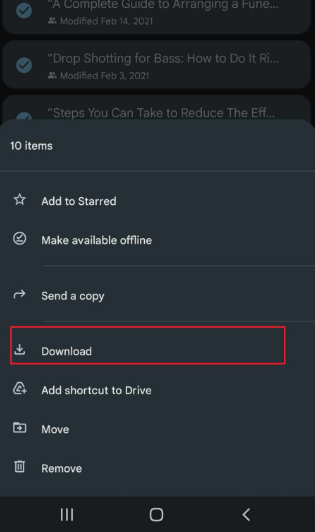
Cloud backups are like having a spare key to your digital house.
Method 3: Use SD Card Recovery Software
If you don’t have a backup, don’t panic. This is where professional data recovery software becomes your best friend.
One reliable tool you can use is MyRecover. It’s specifically designed to recover deleted, formatted, and even lost files from SD cards, USB drives, and other storage devices. Whether your files were accidentally deleted or lost due to formatting, MyRecover scans deep into your SD card to locate recoverable data.
 100% Secure
Steps to Recover Deleted Files Using MyRecover
1. Remove your SD card from your phone.
2. Insert it into your computer using a card reader.
3. Download and install MyRecover on your PC.
4. Launch the software and select your SD card. Choose "Scan".
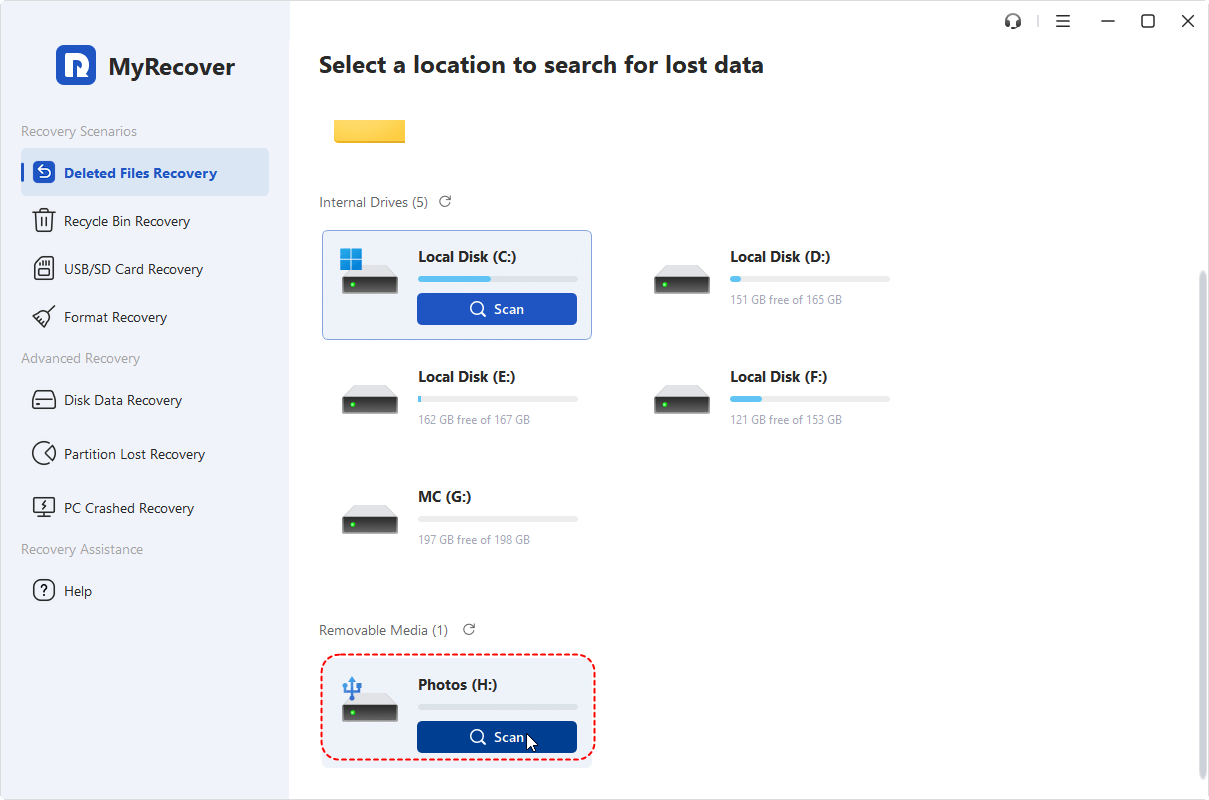
5. Preview the recoverable files.
6. Select the files you want and restore them to a different location (not the SD card).
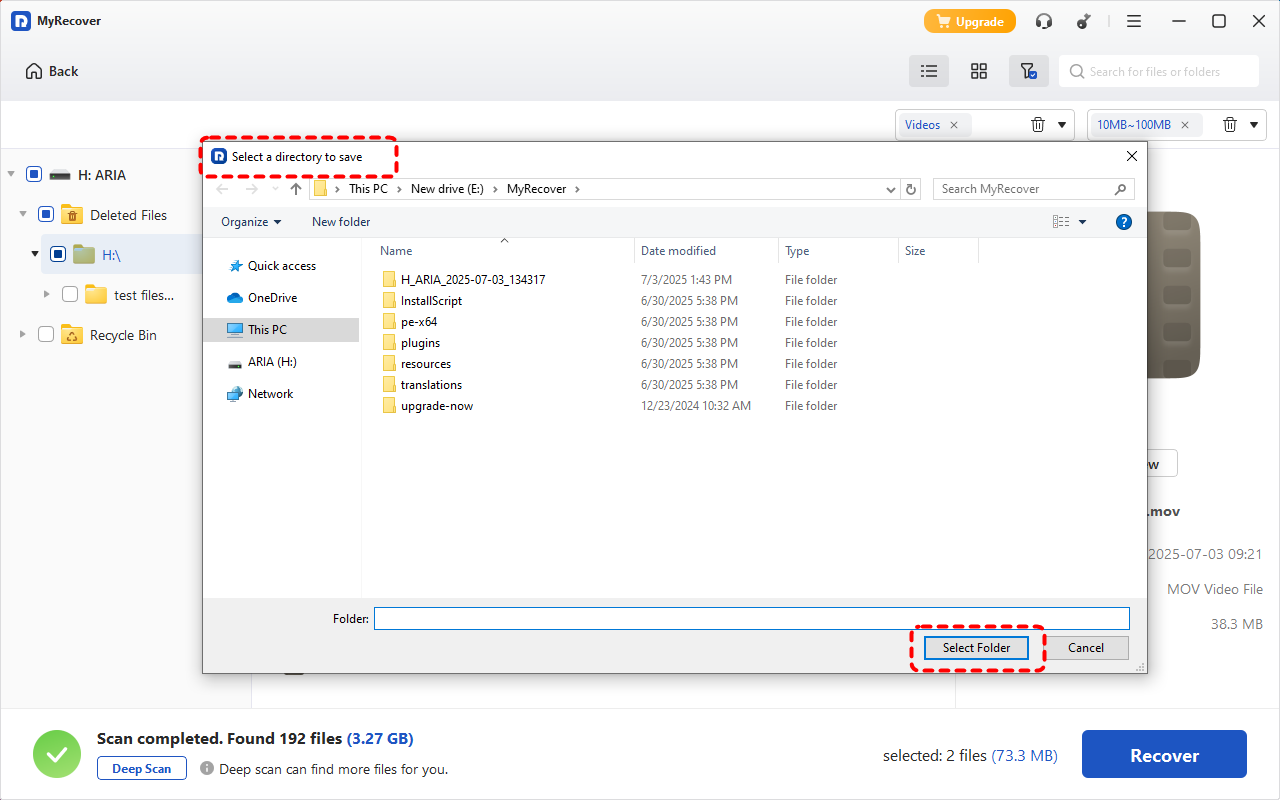
It’s simple, beginner-friendly, and doesn’t require technical knowledge. Think of it like a digital rescue team searching through your SD card to bring your lost files back home.
Common Mistakes to Avoid During Recovery
Let’s save you from making things worse:
- ❌ Continuing to use the SD card.
- ❌ Installing recovery software on the same SD card.
- ❌ Recovering files back onto the same storage.
- ❌ Formatting repeatedly.
Each mistake reduces your chances of successful recovery.
If the SD card is physically damaged, software won’t help. Professional recovery labs use advanced tools to retrieve data from broken storage chips. It’s expensive — but worth it if your data is priceless.
How to Prevent SD Card Data Loss in the Future
Prevention beats recovery every time.
Regular Backups
Enable automatic backups to cloud services. You’ll thank yourself later.
Use Reliable SD Cards
Cheap, no-name cards fail more often. Invest in reputable brands with good read/write speeds.
Avoid Removing SD Card Improperly
Always eject safely. Interrupting data transfer can corrupt files instantly.
Conclusion
Losing files from your phone’s SD card feels like losing a piece of your digital life. But here’s the silver lining — deletion doesn’t always mean destruction.
If you act quickly, stop using the SD card, and apply the right recovery method, you have a strong chance of getting your files back. Whether it’s checking cloud backups, using recovery software, or consulting professionals, solutions exist.
And once you recover your files? Set up automatic backups. In the future, you will be grateful.
FAQs
1. Can I recover deleted files from SD card without a computer?
Yes, if the files are in the Recently Deleted folder or backed up to the cloud. Otherwise, most recovery software requires a computer.
2. How long do deleted files stay on an SD card?
Until they are overwritten by new data. That could be minutes, days, or weeks — depending on usage.
3. Is free SD card recovery software safe?
Many reputable tools offer free versions. Always download from official websites to avoid malware.
4. Can I recover files after formatting the SD card?
Yes, in many cases. Quick formatting doesn’t erase actual data immediately, making recovery possible.
5. What if my SD card is not detected by my phone or computer?
Try another card reader or device. If still undetected, the card may be physically damaged and require professional recovery services.

Stay Updated With Our
Latest Tips
Add us as a preferred source on Google to never miss helpful guides.
 Add as preferred source >>