 MyRecover



Recover Deleted FAT32 Partition: Restore the Volume and Its Files Safely
When a FAT32 partition is deleted, Windows clears its table entry but leaves file data until new writes reuse the sectors. This guide covers read-only checks, a Partition Recovery rebuild with candidate-matching rules, and a file-level fallback. Each step saves recovered data to a different drive.

By Delores / Updated on November 25, 2026


Quick Answer
To recover a deleted FAT32 partition, stop writing to the disk and run a read-only scan for the lost volume before you create a new one in the freed space. Windows deletes a partition by clearing its entry in the partition table; on a mechanical drive, the file data usually stays in place until new writes reuse those sectors. That is why attempts to recover deleted FAT32 partition data succeed most often when they happen early and when every recovered item is saved to a different disk. The steps below cover the checks that carry no risk, a graphical rebuild of the volume, and a file-level fallback for cases where the partition itself cannot be restored.
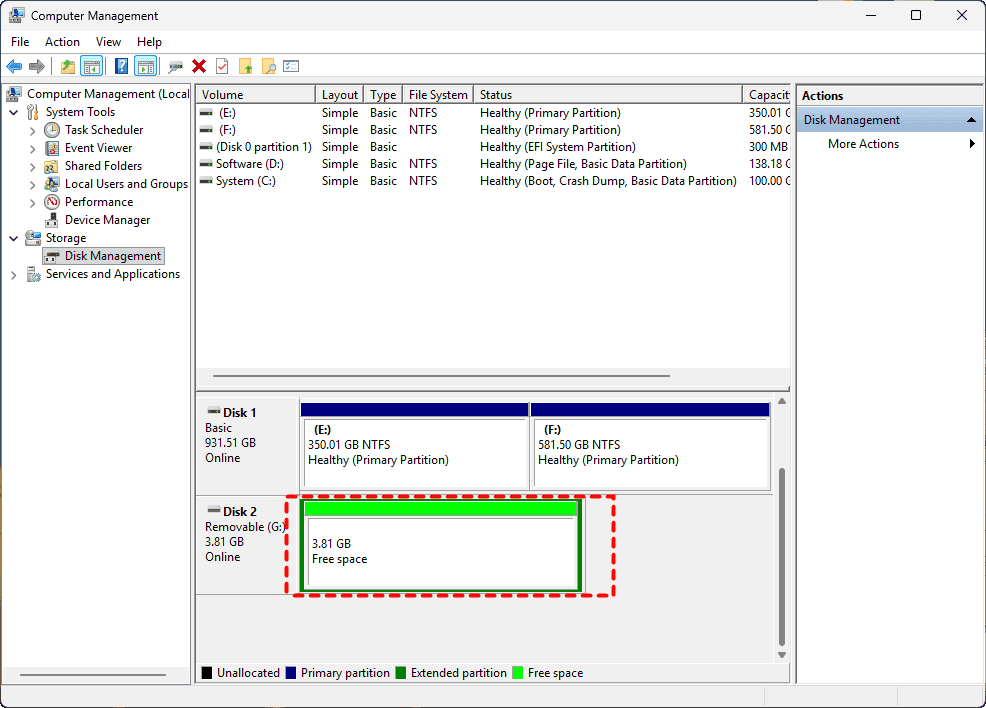
Can I Recover Deleted FAT32 Partitions?
Recover a deleted partition by mistake (FAT32)
I deleted a FAT32 (I think it was FAT32) partition on an external drive by mistake, but I've tried all the nice tools they talk about there. The problem is, as the drive is external, it's not even listed among the recoverable drives. It's a 2.5'' portable hard drive, so I don't have a free slot where to insert it as an internal drive.
What can I do to recover the partition? I'm using Windows. Thank you
- Question from serverfault.com
Why a Deleted FAT32 Partition Becomes Unallocated
In Disk Management, the freed area appears as Unallocated, which leads many people to assume the data is gone. The label describes the partition table, not the contents of the disk.
What Delete Volume Actually Removes
Deleting a volume clears one row of the MBR or GPT table that records where the partition begins and how long it is. According to a technical explanation of volumes deleted in Disk Management, the FAT32 file system inside — its boot sector, file allocation table, root directory, and cluster chains — is left where it was. Windows simply stops looking there.
The FAT32 Overwrite Window
FAT32 tracks free clusters in a file allocation table. When a partition entry is removed, those clusters are not zeroed; they are only marked available. Saving a file, installing a utility, formatting the space, or creating a New Simple Volume can write over the boot sector and the first FAT copies, which are the records a rebuild depends on. The overwrite window closes gradually rather than all at once, so the first minutes matter more than any scan setting.
Cases Where the Data May Already Be Gone
Three conditions cut the odds sharply. Windows may issue TRIM for freed ranges on an internal SSD, and the drive can erase those blocks internally. A full format or a new volume written into the space replaces the metadata. Physical failure, bad sectors, or BitLocker encryption without the recovery key also block a normal rebuild. A scan is still worth running, but the result should be treated as uncertain rather than assumed.
Before You Scan: Checks That Carry No Risk
1. Close Disk Management without right-clicking the Unallocated area; the New Simple Volume wizard formats the space by default.
2. Write down the disk number, approximate capacity, former drive letter, and file system of the missing volume so you can match a candidate later.
3. Check File History, a cloud sync folder, or an external backup for copies of the files before attempting any rebuild.
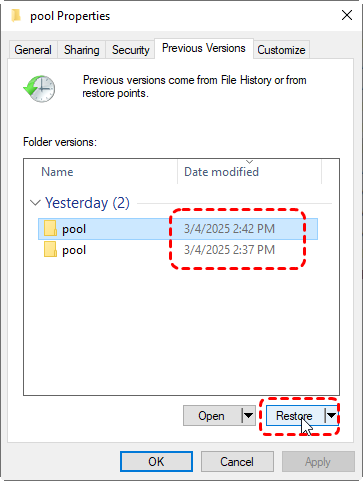
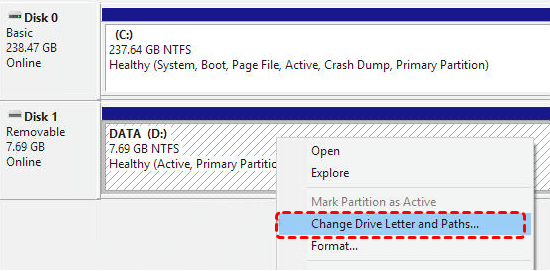
4. If the partition is still listed but has no letter, assign an unused letter in Disk Management instead of formatting it.
5. Disconnect the disk if it is external and attach it to another computer, or install any recovery utility on a different drive.
The deleted-partition recovery workflow documented by MyRecover follows the same read-first order: identify the physical disk, scan it, then copy results elsewhere.
How to Recover a Deleted FAT32 Partition with Partition Recovery
Use a graphical partition-recovery feature when the volume disappeared, but the disk is still recognized. In MyRecover, this is Partition Recovery, which searches the physical disk for lost volume records and can recover missing FAT32 partition entries together with the files inside them. A utility built to recover FAT32 partition data reads the disk directly instead of relying on the partition table Windows currently shows.
1. Download and install MyRecover on a healthy drive — never on the disk whose FAT32 partition was deleted, because an install there can overwrite the records you need.
 100% Secure
2. Launch the tool and select Partition Recovery from the scenario list.
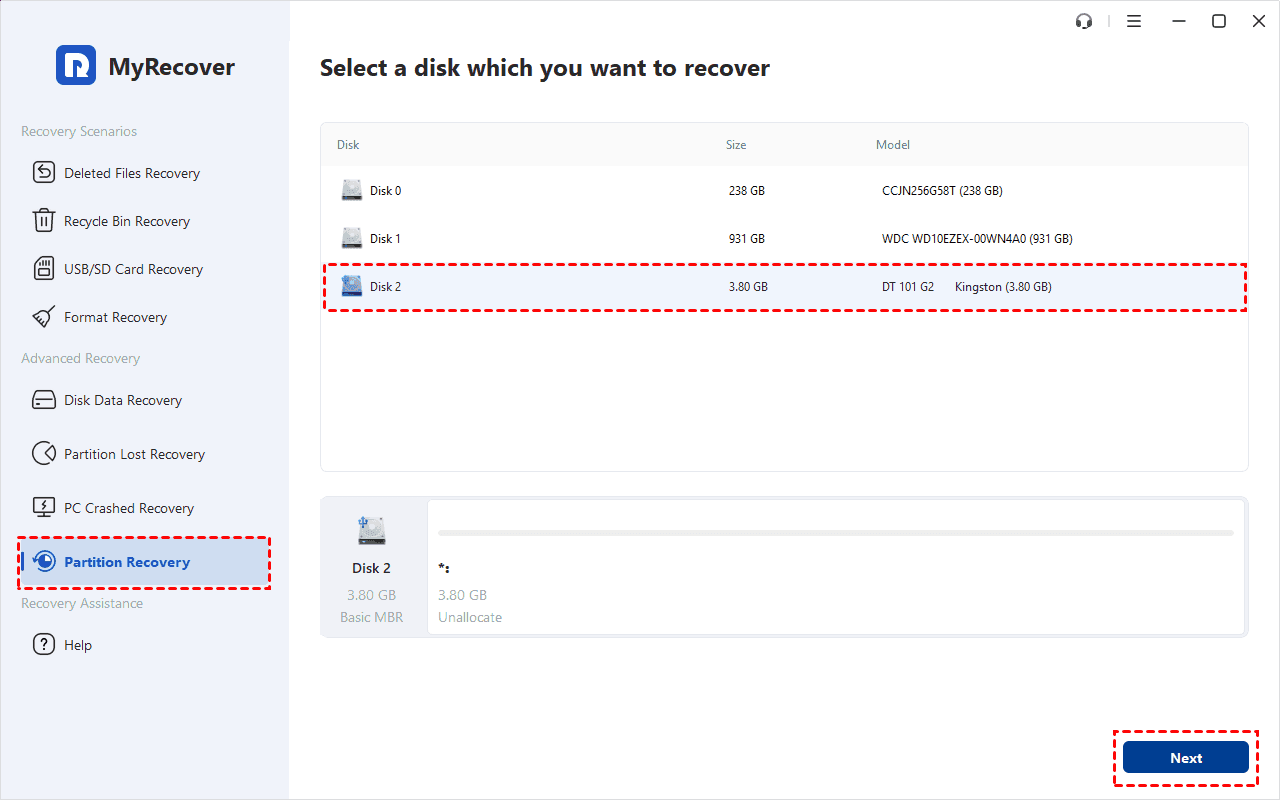
3. Choose the physical disk that held the deleted FAT32 partition and hit Next; run Fast Search first, then Full Search if the target volume is missing.
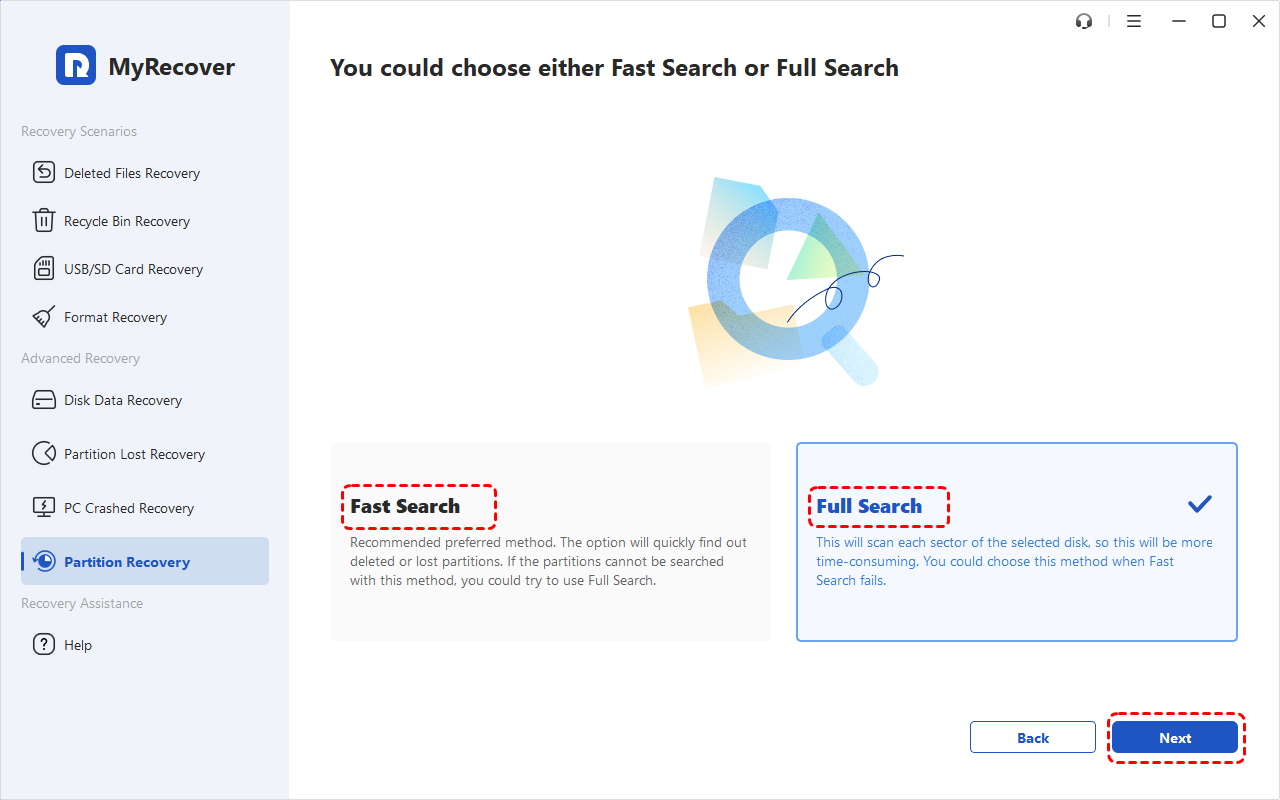
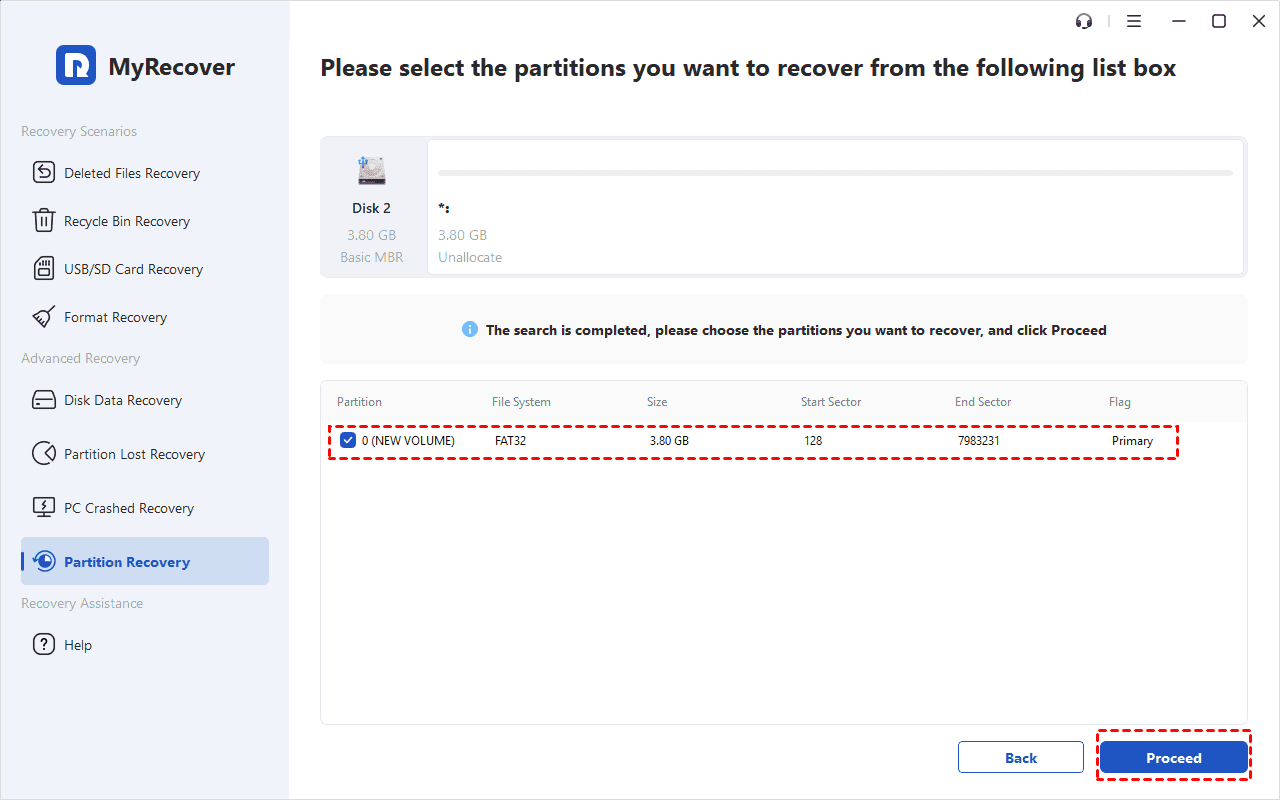
4. Read each candidate by capacity, file system, and start and end sectors, using the Primary or Logical marker to match the original layout.
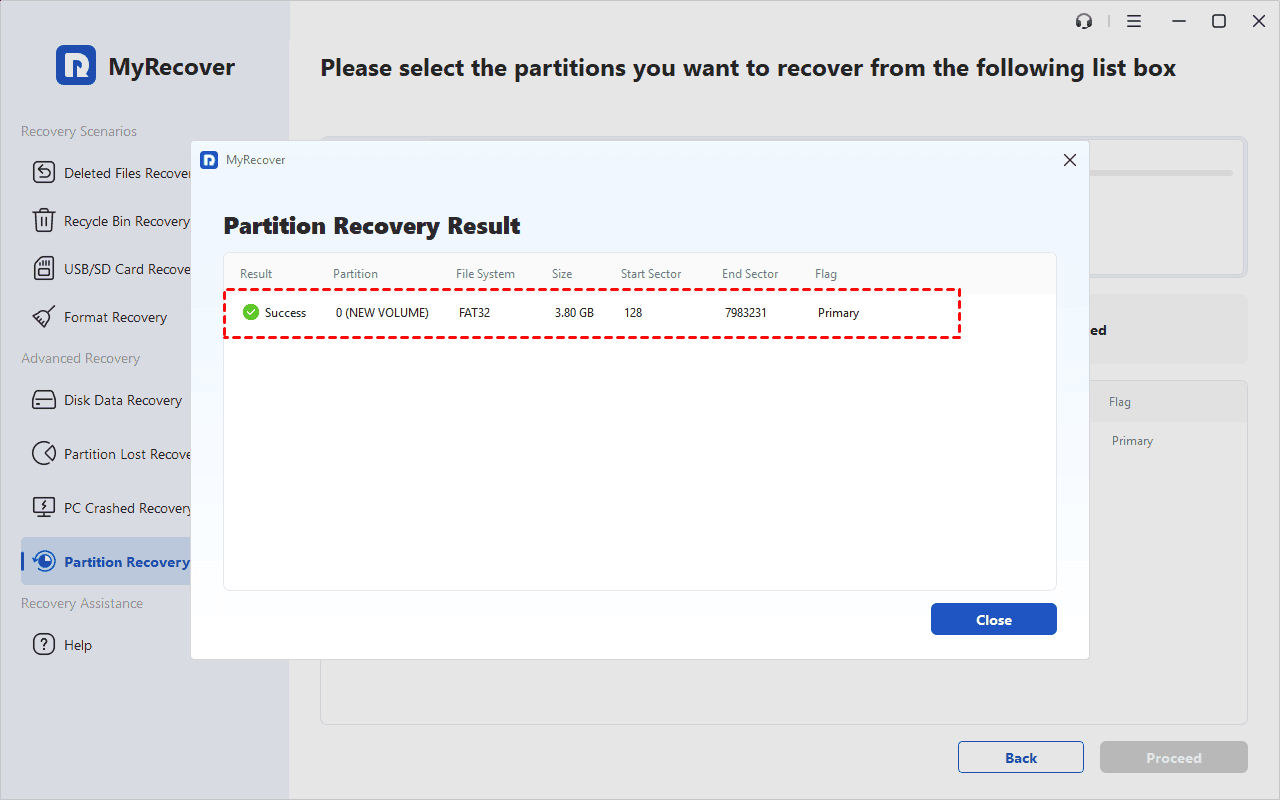
5. Tick the FAT32 candidate that matches your notes and hit Proceed, then verify the rebuilt volume in Disk Management.
- Notes:
- Two FAT32 volumes of similar size can look identical in a candidate list. The start sector is the tie-breaker: the earlier one usually matches the partition created first on the disk.
- If you need to recover files from a crashed computer, perform unlimited file recovery, etc., upgrade to MyRecover Professional or Technician to unlock these features. Then you can enjoy all the premium features with your version.
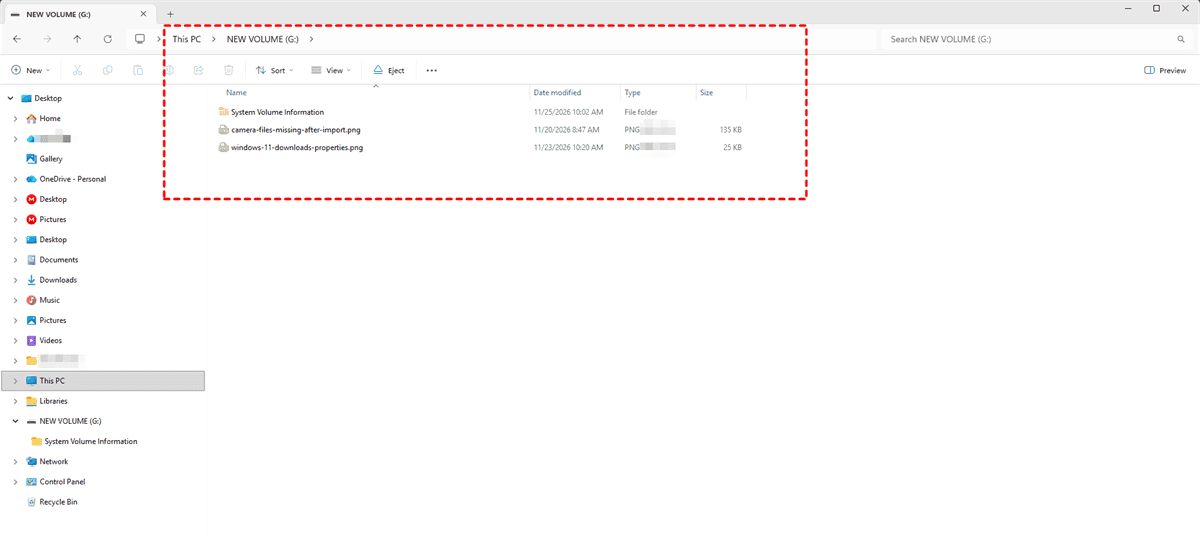
In our test, I deleted a 3.8GB FAT32 partition from Disk Management. There were 2 images on my USB drive, and I used MyRecover to recover the FAT32 partition. Then it found my deleted FAT32 partition in seconds. I clicked Proceed, and it recovered my USB FAT32 partition in seconds. Then I checked them in File Explorer; all my files and the FAT32 partition were recovered as-is (keeping the original file name, format, size, modified date, etc.).
How to Tell a Safe Candidate from a Wrong One
A candidate is safe to proceed with only when three fields agree with your notes: capacity within the rounding you recorded, file system shown as FAT32 rather than RAW or unformatted, and a start and end sector that match the position of the missing volume. If the disk held several FAT32 partitions, match the order of the candidates to the original order on the disk. When no candidate matches, stop — proceeding with a wrong entry writes a partition table that can make later recovery harder.
 MyRecover
- Recover Deleted Files Easily with Simple Clicks
- 1000+ File Formats Supported
- Supports HDD, SSD, External Hard Drive, USB Drive, SD Card, etc.
- Quickly Find Files Using File Types, Name, Size, etc.
- Preview Files Before Recovering
- Recover Unlimited Data
 100% Secure
When Partition Recovery Fails: File-Level Recovery
Sometimes the volume record is too damaged to rebuild, but the files are still readable. In that case, skip the partition and recover FAT32 files by name, type, and path. MyRecover's Partition Lost Recovery scans a FAT32 area that Windows now reports as unformatted or lost and returns individual files.
1. Keep the source disk untouched and run the utility from another drive.
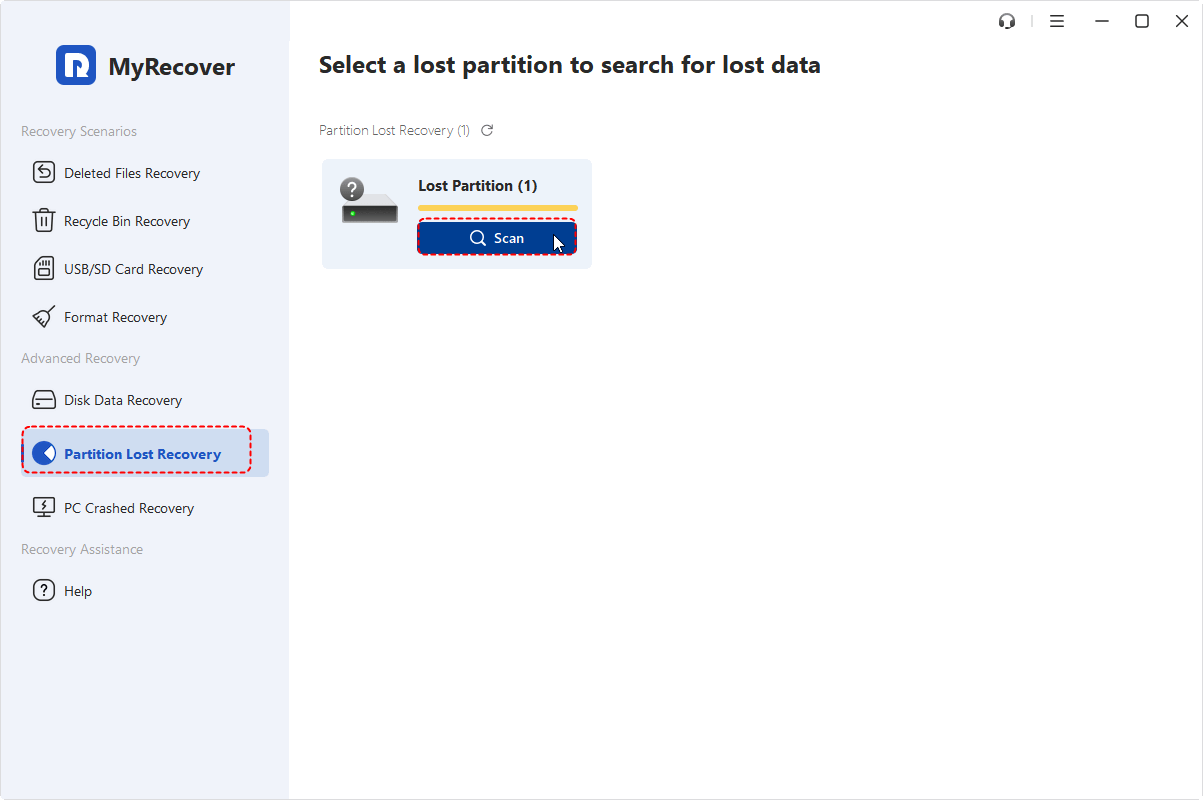
2. Select Partition Lost Recovery, point it at the physical disk holding the missing FAT32 area, and hit Scan.
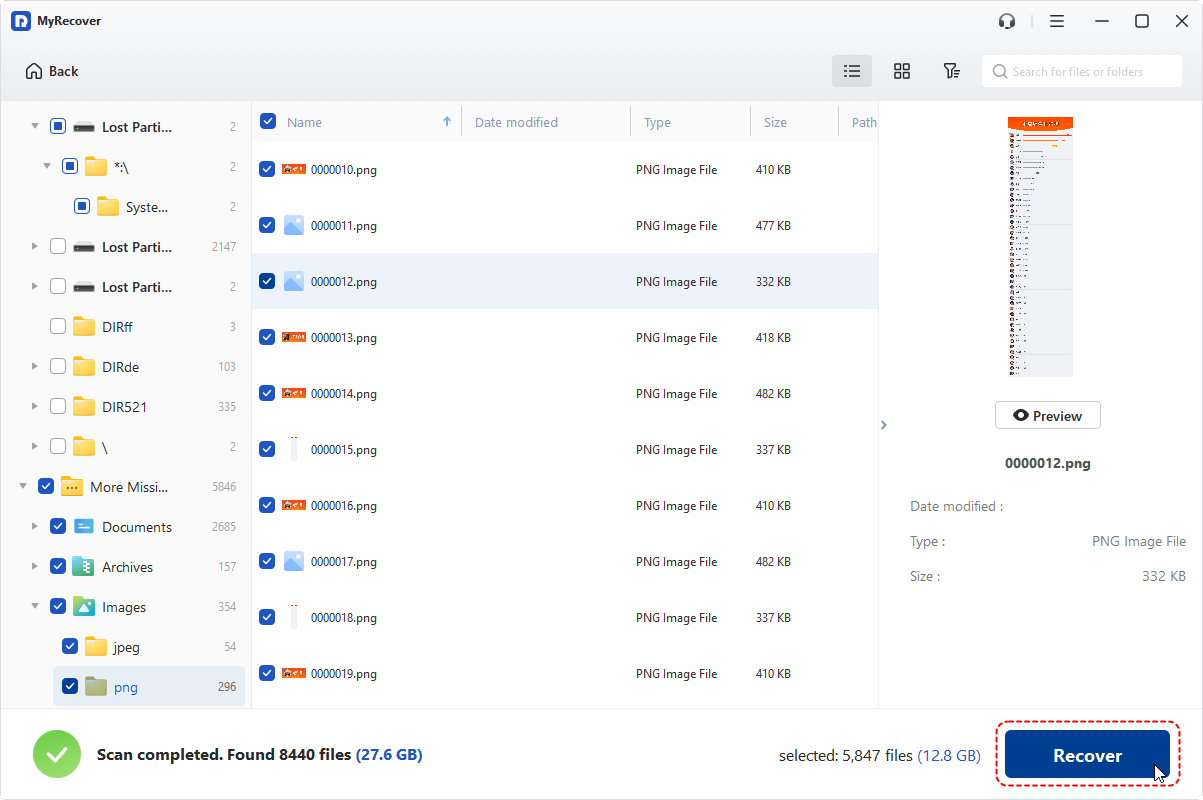
3. When the scan finishes, sort results by file size, type, and path, then preview photos and documents before selecting them.
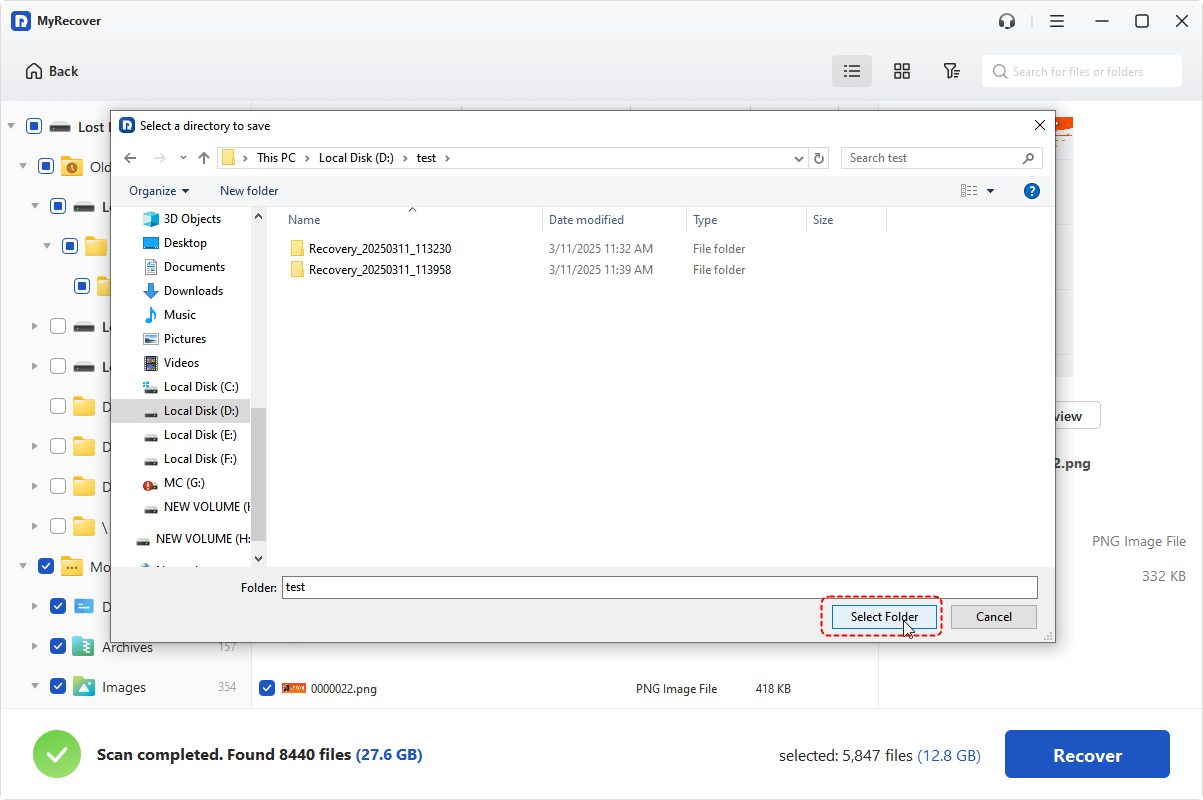
4. Tick the files you need and press Recover, choosing a destination on a different drive or partition.
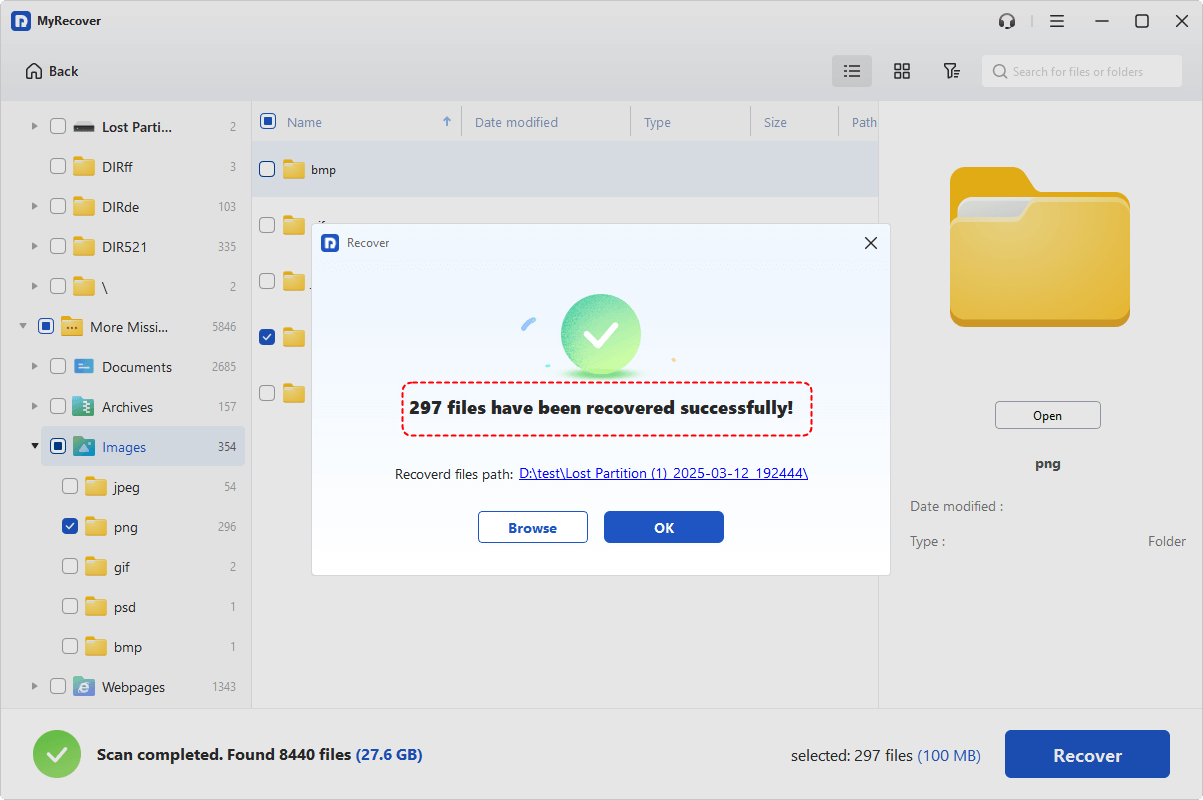
5. Open a sample of the recovered files before you rely on the set, then recreate the partition only after everything important is safe.
For the broader decision between rebuilding a volume and rescuing individual files, see this guide to recovering data from a deleted partition, which covers both routes and their limits.
FAQs About Recovering Deleted FAT32 Partition
Can I recover deleted files from FAT32 after creating a new volume?
Partially, and only if the new volume has not overwritten the old clusters. Stop using the disk and run a file-level scan first. Recovery is uncertain once a format and subsequent saves have reused the space.
Does formatting FAT32 permanently erase the partition?
A quick format replaces the file allocation table and root directory but often leaves file contents in place until overwritten. A full format is far less forgiving. Either way, save anything recovered to another disk.
Why does my FAT32 partition show as RAW instead of Unallocated?
Unallocated means the partition entry is missing; RAW means Windows still sees an entry but cannot read the file system. A rebuild targets the first, while file-level recovery is usually the safer route for the second.
Can I recover a missing FAT32 partition from an SD card?
Yes, if the card is still detected and has not been written to. Use a card reader, select the physical card in the utility, and save recovered files to the computer's internal drive, not back onto the card.
Is a deleted partition the same as deleted files on FAT32?
No. Deleting files clears directory entries on an existing volume; deleting a partition removes the volume record itself. File-level scans and partition rebuilds look for different structures, which is why one may work when the other fails.
Conclusion
A deleted FAT32 partition is often still present as data even when Disk Management calls the space Unallocated. Stop writing to the disk, match candidates by capacity and sector position before proceeding, and use file-level recovery if the volume cannot be rebuilt. Save every recovered file to a different drive, then verify a sample before you trust the result.

Stay Updated With Our
Latest Tips
Add us as a preferred source on Google to never miss helpful guides.
 Add as preferred source >>